
Why Your Kado Bar NI40000 Screen Shows a Low Battery Even After Charging
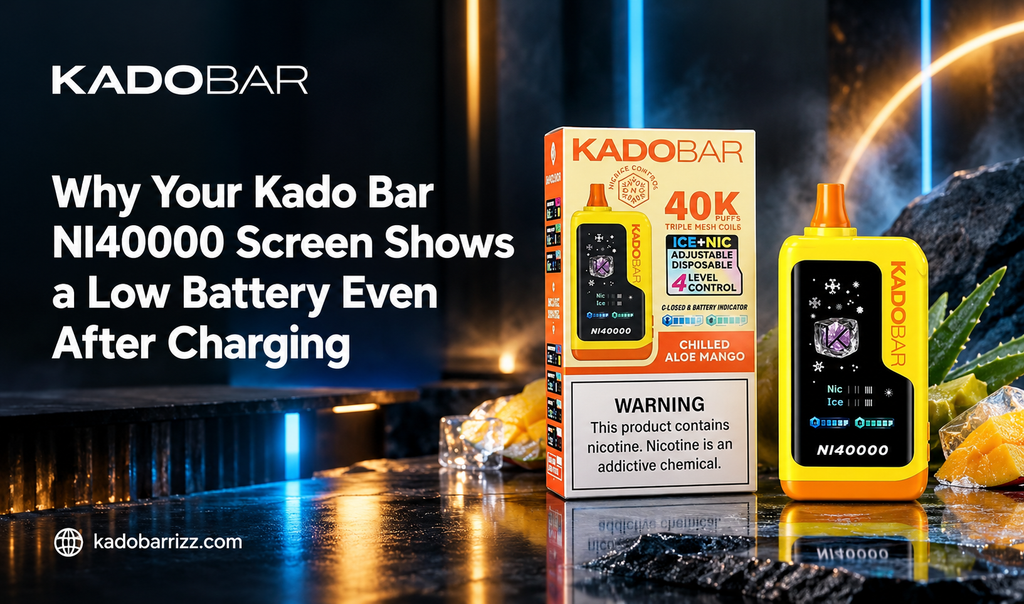
Table of Contents
- Understanding the Kado Bar NI40000 Digital Display Screen
- Common Reasons Your Battery Screen Reads Low After Charging
- The Impact of Fast Chargers and High Wattage Cables
- Inspecting and Cleaning the Type-C Charging Port
- Understanding Voltage Sag and Chipset Miscalibrations
- How High Ice and Nicotine Settings Strain Power Delivery
- Step-by-Step Reset and Troubleshooting Routine
- Best Practices for Long-Term Battery Health
Modern high-capacity disposable vapes have completely transformed user convenience. Having real-time digital readouts for e-liquid levels and remaining battery percentages gives you full control over your daily routine. However, plugging your hardware into a charger for an hour only to see the battery indicator still reading empty or low can feel frustrating.
If you are experiencing a low battery screen warning on your device after a complete charging cycle, you are not alone. When exploring popular hardware like the Kado Bar Rizz, understanding how smart chipsets monitor internal power cells helps you resolve charging glitches quickly. Identifying whether the issue stems from a faulty cable, a dirty USB-C port, or safety cutoffs allows you to restore reliable power delivery.
Understanding the Kado Bar NI40000 Digital Display Screen
Integrated screen displays rely on precise voltage sensors on the control board to calculate remaining power percentages. When current flows into the internal lithium-ion battery, the chipset tracks the voltage rise until it hits maximum capacity.
Digital screens act as a direct communication tool between internal electrical systems and the user. When everything operates smoothly, the battery percentage increases steadily while plugged in. When internal safety circuits detect improper current, excessive thermal buildup, or loose pin contact, the screen freezes or continues displaying a low-power warning to protect the device.
Common Reasons Your Battery Screen Reads Low After Charging
Several everyday physical and electrical factors can prevent a device from accepting a full charge. Spotting these common causes makes troubleshooting simple and straightforward:
- Debris in the USB-C Port: Pocket lint, dust, or sticky e-liquid residue inside the charging port blocks electrical contacts, causing intermittent power transfer.
- Frayed or Damaged Charging Cables: Internal wire fatigue inside cheap or old USB-C cords limits current delivery, preventing the battery cell from charging completely.
- Incompatible Power Sources: High-wattage smartphone fast-charging blocks trigger internal board protection, halting the charge cycle prematurely.
- Thermal Lockout Protection: Plugging in a device that is too hot or cold causes the battery management system to block incoming current.
The Impact of Fast Chargers and High Wattage Cables
A frequent mistake vapers make is using ultra-fast charging bricks designed for modern smartphones or laptops. High-wattage power blocks push excessive current that small vape battery cells are not engineered to handle.
When choosing options like the Kado Bar NI40000 Zero Nic, charging with standard 5V/1A power blocks protects sensitive internal circuitry. When a high-wattage charger is connected, the internal chipset senses thermal spikes or excess voltage and automatically cuts off power to prevent battery damage. This safety feature leaves the battery undercharged, causing the display to read low as soon as you unplug it.
Inspecting and Cleaning the Type-C Charging Port
Carrying your device in pockets, backpacks, or purses exposes the exposed USB-C port to ambient dust and lint. Over time, compressed lint prevents the charging cable plug from seating flush against internal metal pins.
A quick visual inspection using a bright light reveals whether lint is blocking the connection. Take a non-metallic tool, such as a dry wooden toothpick, and gently clean out the recess of the charging port. Removing trapped debris restores complete pin contact, enabling steady current transfer and accurate battery display readings.
Understanding Voltage Sag and Chipset Miscalibrations
Lithium-ion cells experience temporary voltage drops when placed under sudden heavy electrical loads. If you immediately take long, high-power draws right after removing your vape from a charger, the sudden current spike causes a temporary voltage drop.
Browsing popular options across Kado Bar Vape Flavors shows how rich fruit and mint blends depend on stable power to fire multi-mesh coils evenly. Taking a heavy draw immediately after unplugging can trick the chipset sensor into reading a temporary low voltage, causing the screen percentage to dip sharply until the power cell stabilizes at rest.
How High Ice and Nicotine Settings Strain Power Delivery
Advanced high-puff disposables allow users to customize their experience using variable output controls and multi-coil setups. Running devices on maximum power settings draws double the current during every puff.
Using rich dessert profiles like Banana Taffy Freeze Kado Bar Rizz on elevated power settings places heavy demands on the battery cell. If the battery has suffered minor degradation from improper charging, firing high-power modes causes rapid voltage drops that trigger low-power screen warnings. Switching output levels down to moderate settings reduces strain and maintains steady battery readouts.
Step-by-Step Reset and Troubleshooting Routine
When your battery display refuses to update correctly after a charging session, following a simple troubleshooting routine usually resolves the issue:
- Disconnect and Cool Down: Unplug the device and let it sit at room temperature for fifteen minutes to allow internal temperatures to equalize.
- Clean the Charging Port: Clear out trapped lint or dust from the Type-C recess using a dry toothpick.
- Switch Cables and Power Outlets: Connect a standard 5V/1A USB-C cable to a computer port or standard wall adapter.
- Monitor the Charging Screen: Leave the unit connected undisturbed for thirty to forty minutes while checking for a steady charging icon on the display.
Best Practices for Long-Term Battery Health
Adopting good daily charging habits protects your internal battery capacity and keeps your screen indicators reading accurately throughout the life of your device. Always charge on hard, non-flammable surfaces away from direct sunlight or extreme cold.
Enjoying sweet candy blends like Blue Rancher Kado Bar Rizz requires clean, consistent electrical power to maximize flavor and vapor output. Unplugging your vape once the display indicates a full charge prevents overcharging strain. By practicing proper maintenance and using appropriate chargers, your hardware will deliver smooth, reliable performance on every draw.